The Ultimate Vaporesso Luxe Troubleshooting Guide
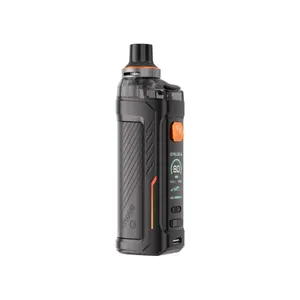
A vape device may show small issues during regular use, such as weak vapor, charging problems, leaking, or an unresponsive screen. Simple checks can help identify the cause before you consider professional service.
Start with basic safety steps, inspect the device for visible damage, and avoid using it if the battery or body looks damaged. For Vaporesso Luxe users, a few practical checks can help identify common faults.
Check the battery and power
If the device does not turn on, check the battery level first. Connect it to a suitable charging source and watch for the charging indicator. Inspect the charging port for dust or loose material. Do not use a damaged cable, a swollen battery, a cracked casing, or a device that becomes unusually hot. If charging does not start, try another compatible cable and power source. If the issue remains, stop using the device and seek service from a qualified technician.
Check the pod or tank
Weak vapor, leaking, or an unusual taste may point to an issue with the pod or tank. Remove it and inspect the connection area for excess liquid. Gently wipe the contact points with a dry cloth before reconnecting it. Check that the pod or tank is seated correctly. A loose connection may prevent the device from detecting it. Replace damaged or worn parts with compatible components.
Check the coil
A worn coil may produce poor flavor, reduced vapor, or a burnt taste. If the coil is replaceable, inspect it and fit a fresh compatible coil according to the manufacturer’s instructions. After fitting a new coil, allow the liquid to soak into the coil before use. Starting at a lower power setting can also reduce the chance of burning a fresh coil.
Fix screen or button issues
If the screen behaves strangely or buttons stop responding, turn the device off if possible. Check for liquid around the controls and connection points. Keep the device dry and avoid pressing buttons repeatedly when the device appears frozen. For error messages, consult the official user manual for the exact model. Different Luxe models may show different alerts and operating controls.
When to stop using the device
Some problems should never be ignored. Stop using the device if you notice swelling, cracks, severe overheating, burning smells, damaged wiring, or unusual battery behavior. Do not attempt to open or repair the battery yourself.